A campaign that’s technically “live” but invisible to publishers isn’t broken. It’s probably sitting on the wrong status.
Campaign status in Trackier is the switch that decides whether a campaign runs, who can see it, and what happens to the traffic hitting it. It’s the most basic lever in campaign management, and the one most likely to be set wrong.
Get the status of a campaign wrong and you end up with paused offers eating clicks, disabled campaigns stuck on the wrong setting, or publishers staring at an empty panel wondering why the offer they were promised isn’t there.
This article breaks down every campaign status in Trackier, what it actually controls, and where each one fits in the campaign management lifecycle.
What Is Campaign Status?
Campaign status defines the current state of a campaign and determines three things: whether it’s visible to publishers, whether it can take live traffic, and whether it’s active, paused, or restricted. In short, it controls how and when a campaign runs.
Why Campaign Status Matters
Campaigns rarely stay in one state for their whole life. Most move through testing, approval, live traffic, optimization, and the occasional pause. Setting the right status at each stage helps you:
- Control who can see the campaign
- Prevent invalid or unwanted traffic
- Manage publisher access without deleting or rebuilding the campaign
- Avoid accidentally activating something that isn’t ready
- Keep the whole campaign lifecycle structured instead of chaotic
The Campaign Status Types
1. Active
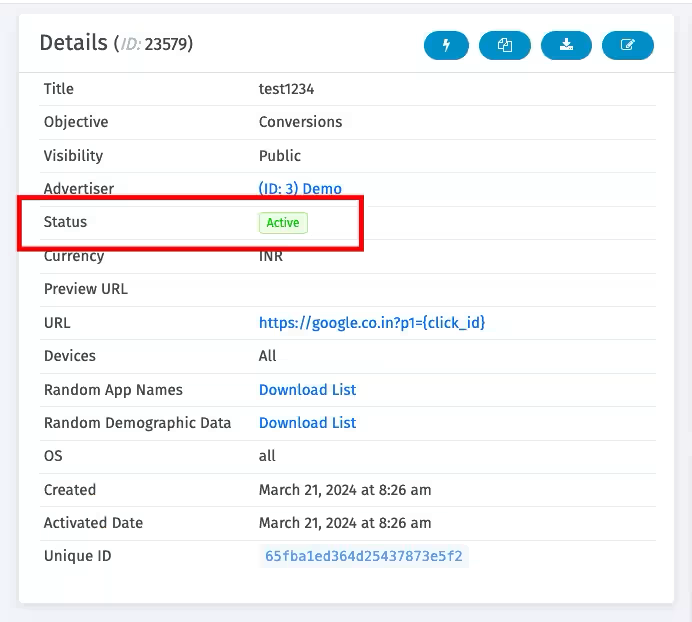
The campaign is live and taking traffic. It’s visible in the publisher interface and the Publisher API.
2. Pending
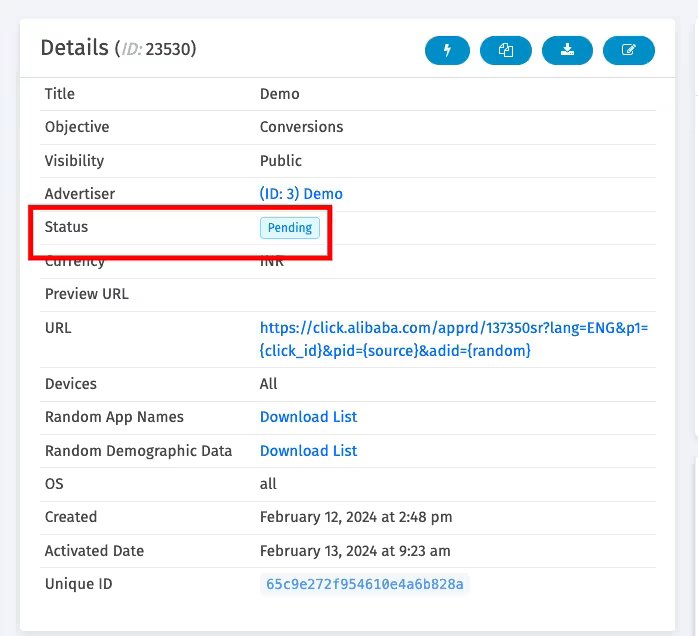
The campaign isn’t ready for live traffic yet. This is common for offers coming in through a network API integration, and it’s generally used for testing.
Pending campaigns are hidden from both the publisher interface and the Publisher API.
3. Paused
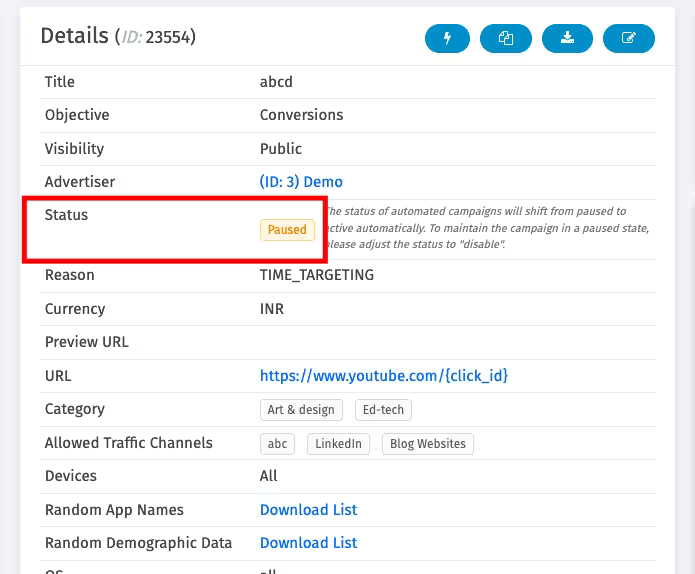
This one is system-reserved. When a CAP is hit, the campaign automatically switches to Paused and reactivates once the CAP refreshes.
Editing a paused campaign’s settings reactivates it automatically. Any conversion that comes in while a campaign is paused gets marked Cancelled. Paused campaigns are hidden from publishers.
4. Disabled
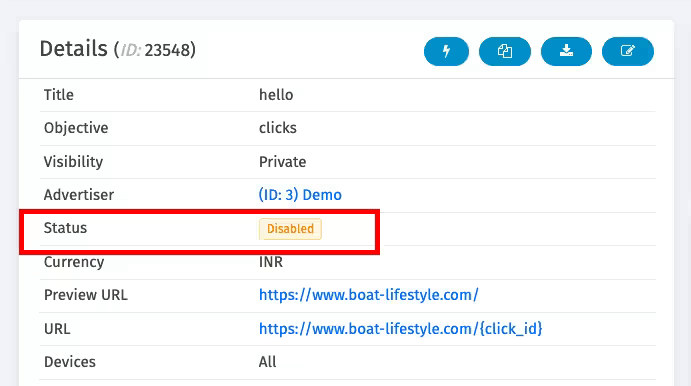
Use this when you’re editing a campaign and don’t want it to go live the moment you hit save. Disabled campaigns won’t auto-reactivate, not through CAP resets, time targeting, or API triggers.
It’s the safest status to sit in while a campaign needs repeated updates before launch. Hidden from publishers.
5. Suspended
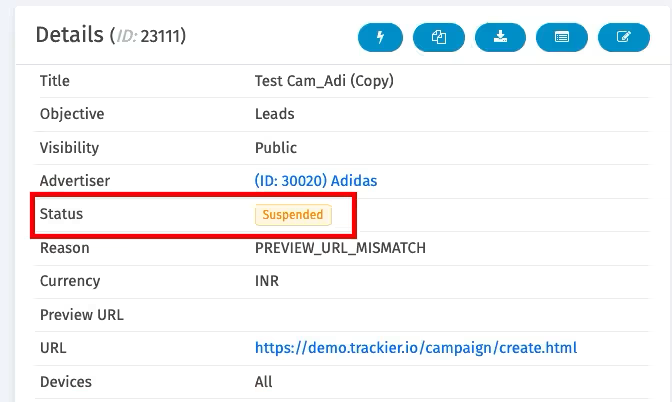
This is triggered by Trackier’s Offer Checker when a campaign fails your set rules, usually too many redirects or a preview URL mismatch. Hidden from publishers.
6. Expired
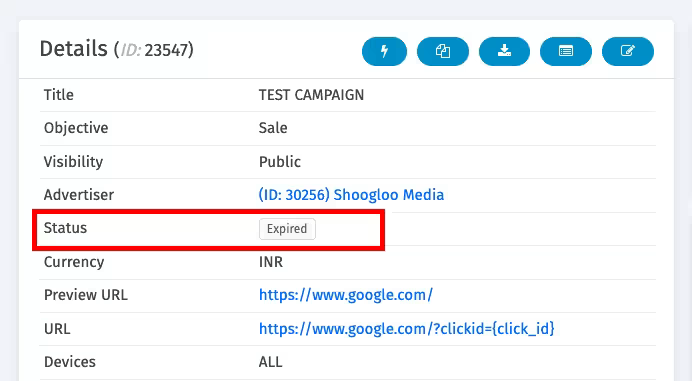
Use this when a campaign’s promotion window is over but you still need to process conversions from clicks that landed just before the cutoff.
Expired campaigns stop taking new traffic, but approved conversions still get recorded and postbacks still fire to the publisher.
How CAP Affects Campaign Status Automatically
If a campaign has a CAP applied, Trackier updates its status automatically based on your settings. This is why campaign setup in Trackier matters before launch, since the CAP rules you define at setup are what drive these status changes later.
Say a publisher hits a daily click limit of 1,000. The campaign pauses. The next day, once the CAP resets, it flips back to Active on its own, no manual intervention needed.
A few things worth remembering:
- Status can change automatically based on CAP or system rules
- Conversions recorded during a pause are marked Cancelled
- Disabled campaigns never auto-reactivate
- Expired campaigns stop new traffic but can still process past conversions
Best Practices for Managing Campaign Status
- Use Pending while testing, before anything goes live
- Switch to Disabled while making configuration changes
- Keep live traffic off Paused or Suspended campaigns
- Monitor CAP limits so you’re not caught off guard by an unexpected pause
- Define your campaign lifecycle stages clearly within your team
- Confirm publisher visibility before flipping a campaign Active
- Use Expired instead of manually pausing time-bound campaigns
Need Help?
If you’re unsure which campaign status fits your situation, or a campaign isn’t behaving the way its status suggests it should, our support team is available via the in-platform chat or at support@trackier.com. We’ll help you get it sorted.
FAQs
What is campaign status in Trackier?
Campaign status defines the current state of a campaign, controlling whether it’s visible to publishers, whether it can receive live traffic, and whether it’s active, paused, or restricted.
What’s the difference between Paused and Disabled?
Paused is system-triggered, usually by a CAP limit, and the campaign reactivates automatically once the CAP resets or once you edit its settings.
Disabled is manually set and never auto-reactivates, making it the safer choice while you’re actively making changes to a campaign.
Why would a campaign show as Suspended?
Suspended status is applied automatically by Trackier’s Offer Checker when a campaign fails set rules, typically excessive redirects or a mismatch between the actual URL and the preview URL.
Can an Expired campaign still generate conversions?
Yes. An expired campaign stops receiving new traffic, but conversions from clicks recorded before expiry can still be approved, and postbacks still fire to the publisher for those.
