Marketing teams spend a lot of time navigating dashboards, analyzing reports, and looking for answers hidden across campaign and affiliate data.
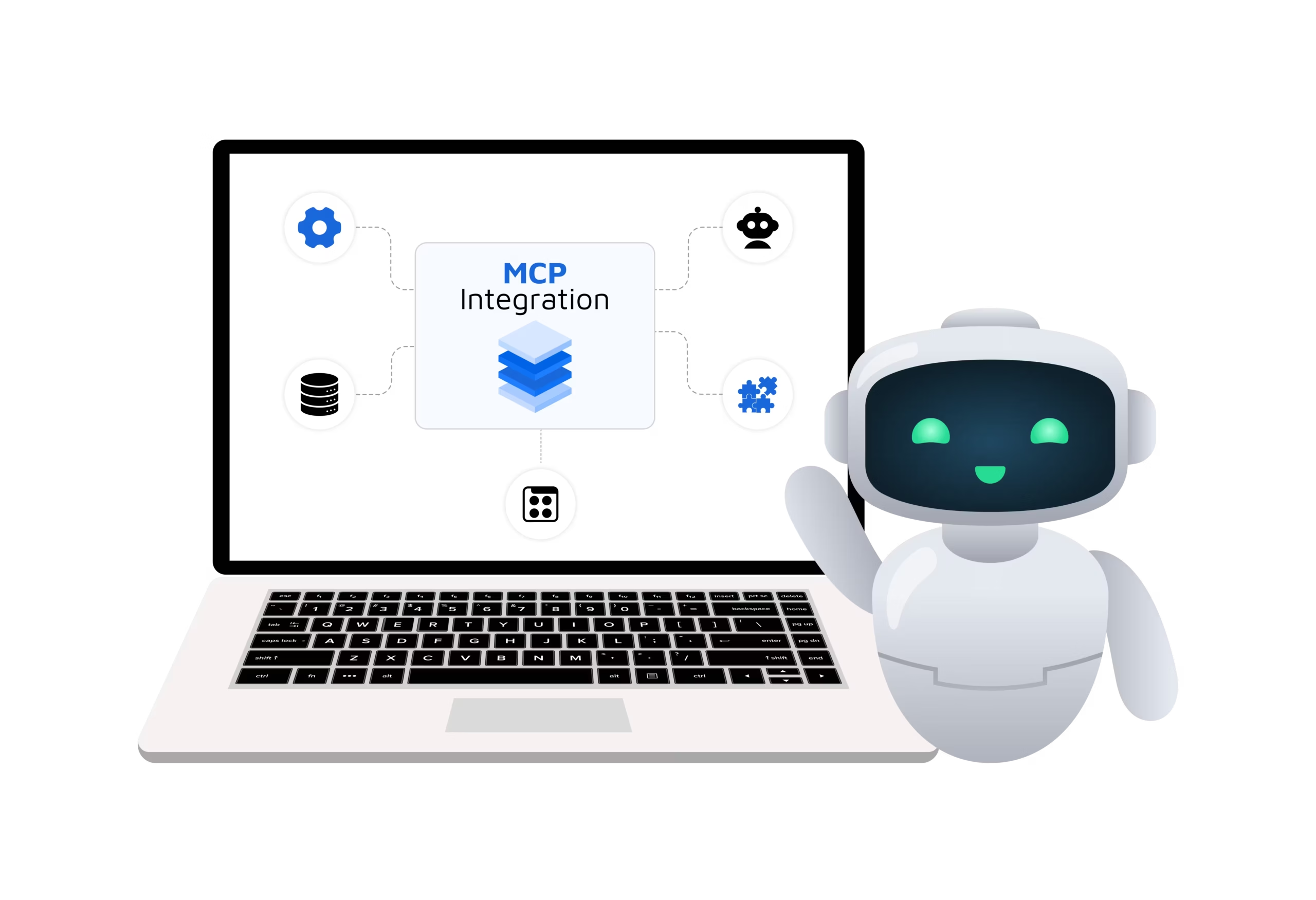
In the September 2026 product update, we have introduced Trackier’s MCP integration that makes the process simpler by connecting your Trackier account with MCP-compatible AI assistants such as Claude and ChatGPT.
Once connected, you can ask questions about your performance data in natural language and get answers without manually searching through your dashboard.
What is Trackier MCP Integration?
The Trackier MCP integration connects your Trackier account with an MCP-compatible AI assistant. Once the connection is set up, the AI assistant can access live information from your Trackier account, including:
- Campaign performance
- Affiliate details
- Performance reports
- Account-level campaign information
Instead of manually navigating different sections of your panel, you can simply ask questions such as:
- What were my top campaigns by revenue last month?
- How many active campaigns do I have right now?
The AI assistant uses the information available through your Trackier connection to provide the relevant answer in a conversational format.
Why Connect Trackier With AI?
Performance data is most useful when you can quickly turn it into actionable insights. MCP reduces the effort required to find and understand that data.
- Faster Reporting – Get campaign and performance summaries by asking a question instead of manually exporting and organizing reports.
- Easier Data Exploration – You can ask follow-up questions about campaigns, affiliates, and performance without repeatedly moving between different areas of your Trackier dashboard.
- Less Manual Work – Routine data gathering and analysis can take time. With an AI assistant connected to Trackier, you can reduce the manual effort involved in collecting and organizing information.
- Access to Live Account Data – The AI assistant pulls information from your Trackier account when you make a request, allowing you to work with current account data.
- No Developer Setup – You don’t need to build a custom integration or work through API documentation to get started. The connection can be set up through an MCP-compatible AI assistant.
- Flexible AI Access – MCP is an open standard, so the same approach can work with different MCP-compatible AI assistants.
How to Set Up Trackier MCP Integration
The Trackier MCP integration requires a one-time setup. After connecting your account, you can use your preferred compatible AI assistant to interact with your Trackier data.
Step 1: Open the Integration Section

In your Trackier panel, go to: Automation → Integration → Tools
Look for MCP Integration and open it.
Step 2: Connect the MCP Connector
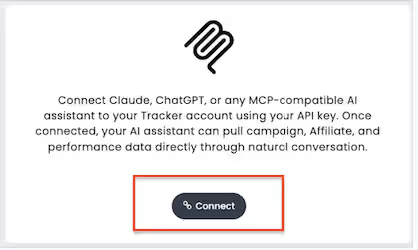
Click Connect to open the MCP connector.
Step 3: Copy Your MCP Server URL
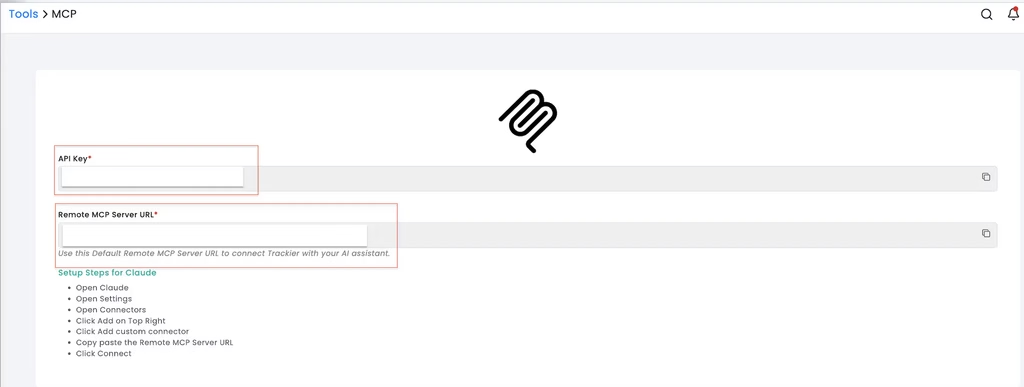
Find your API key and remote MCP server URL and copy the required values for the connection.
Important: Your remote MCP server URL should be treated like a password. Do not share it publicly or with anyone who should not have access to your Trackier data.
Step 4: Connect Your AI Assistant
Choose the AI assistant you want to connect with Trackier and create a custom connector using the MCP URL copied from your Trackier panel. For example, if you’re using Claude:
- Open Claude Settings
- Go to Connectors under the Customize section
- Click “Add” and select “Add custom connector”
- Enter a name for the connector
- Paste your Trackier Remote MCP Server URL
- Choose the required authentication option and continue
- Configure tool permissions to control the data Claude can access
- Start a conversation with the AI assistant to access your Trackier panel data
Start Using Trackier With AI
Once the connection is active, you can start asking your AI assistant questions about your Trackier account. For example:
- What were my top campaigns by revenue last month?
- How many active campaigns do I have right now?
- Show me a summary of my campaign performance.
You can also continue the conversation with follow-up questions to explore campaign, affiliate, and performance information in more detail.
This makes your performance data easier to explore without requiring you to manually find every metric in the dashboard.
Keep Your MCP Connection Secure
Because the Remote MCP Server URL can provide access to your Trackier data through an AI assistant, it should be handled as a credential. Follow these best practices:
- Never share your Remote MCP Server URL publicly
- Store the URL securely, just as you would a password
- Periodically check Tools → MCP to confirm that your connector is active
Turn Performance Data Into Conversations
The Trackier MCP integration brings your performance marketing data into the AI tools you already use.
Instead of manually searching dashboards, exporting reports, or relying on technical queries, you can connect Trackier with an MCP-compatible AI assistant and explore campaign and performance data through natural-language questions.
Whether you need a quick campaign summary, affiliate information, or performance insights, MCP gives you a simpler way to work with your Trackier data, so you can spend less time collecting information and more time acting on it.
Connect Trackier with your preferred MCP-compatible AI assistant. If you need any help, book a demo and start exploring your performance data through conversation.
If you want to be updated, subscribe to our LinkedIn Newsletter.